

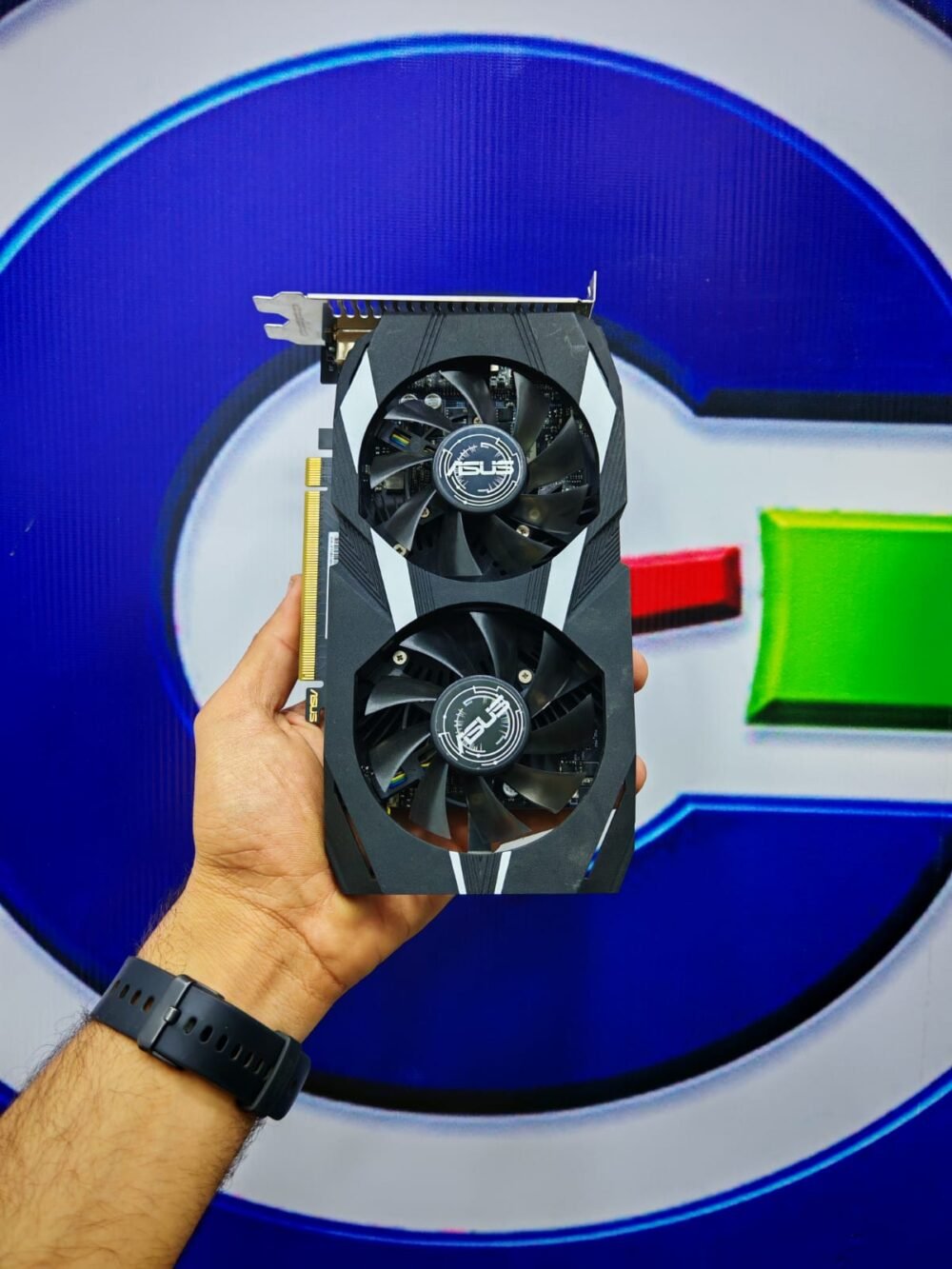
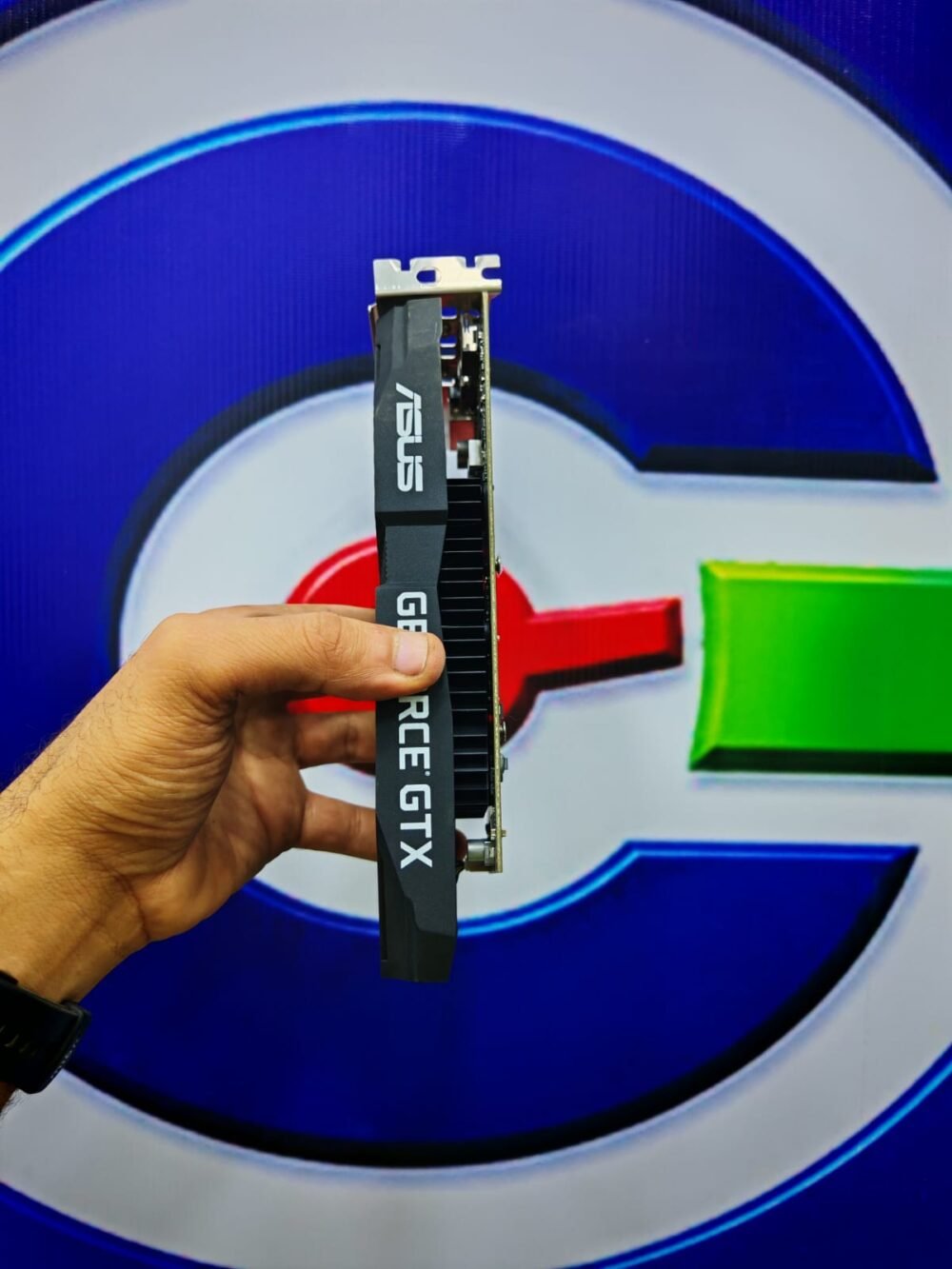
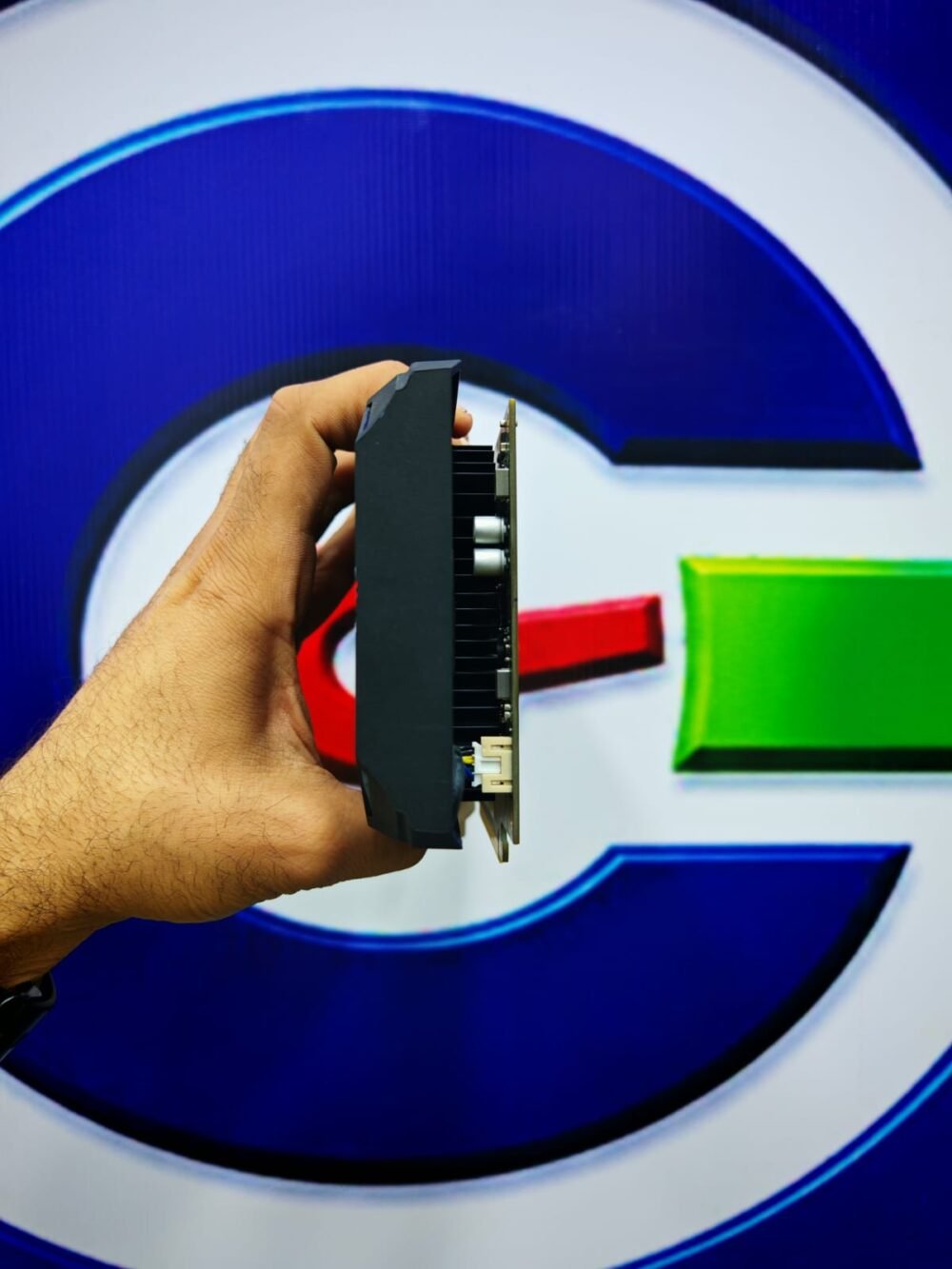
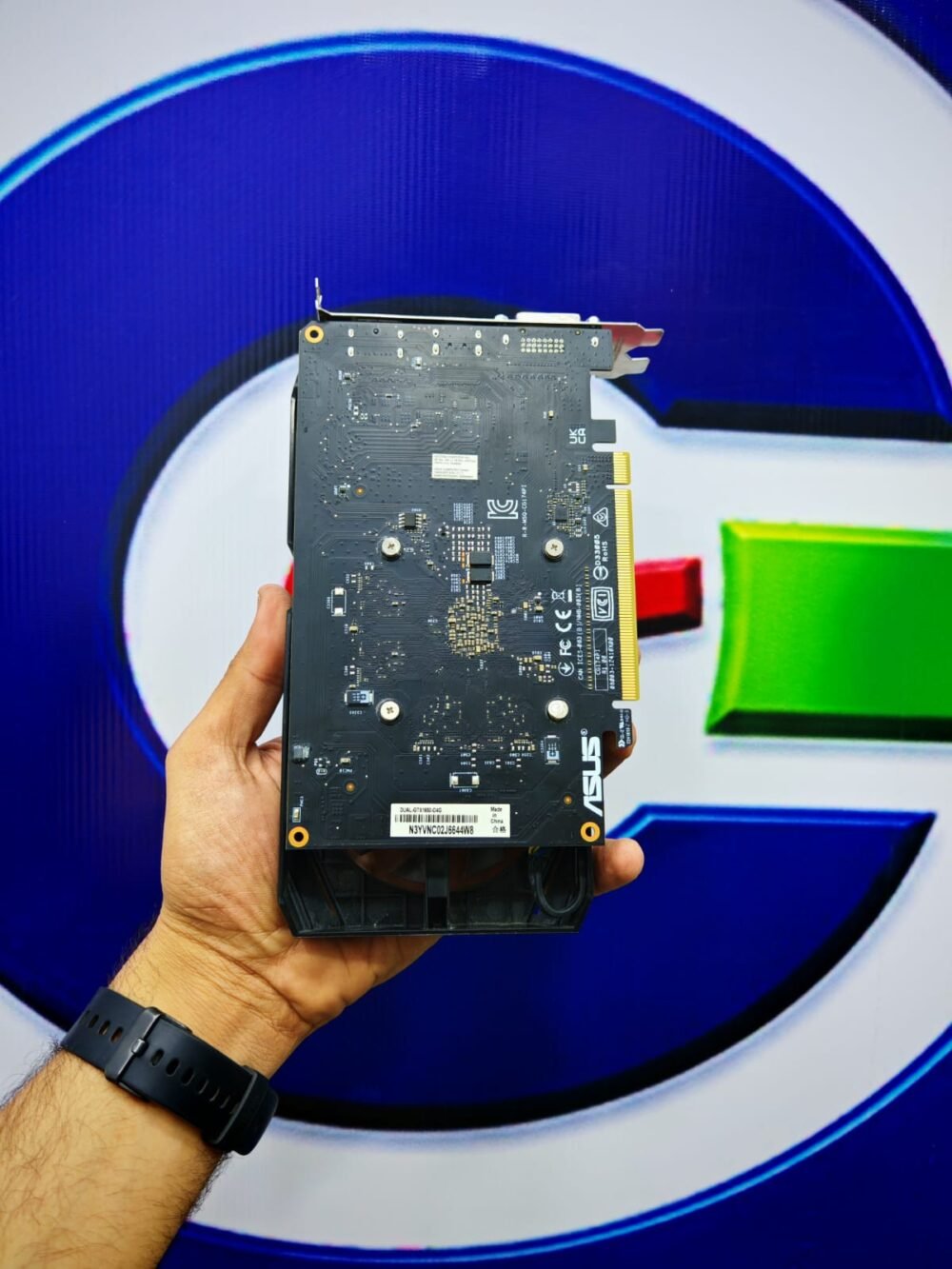
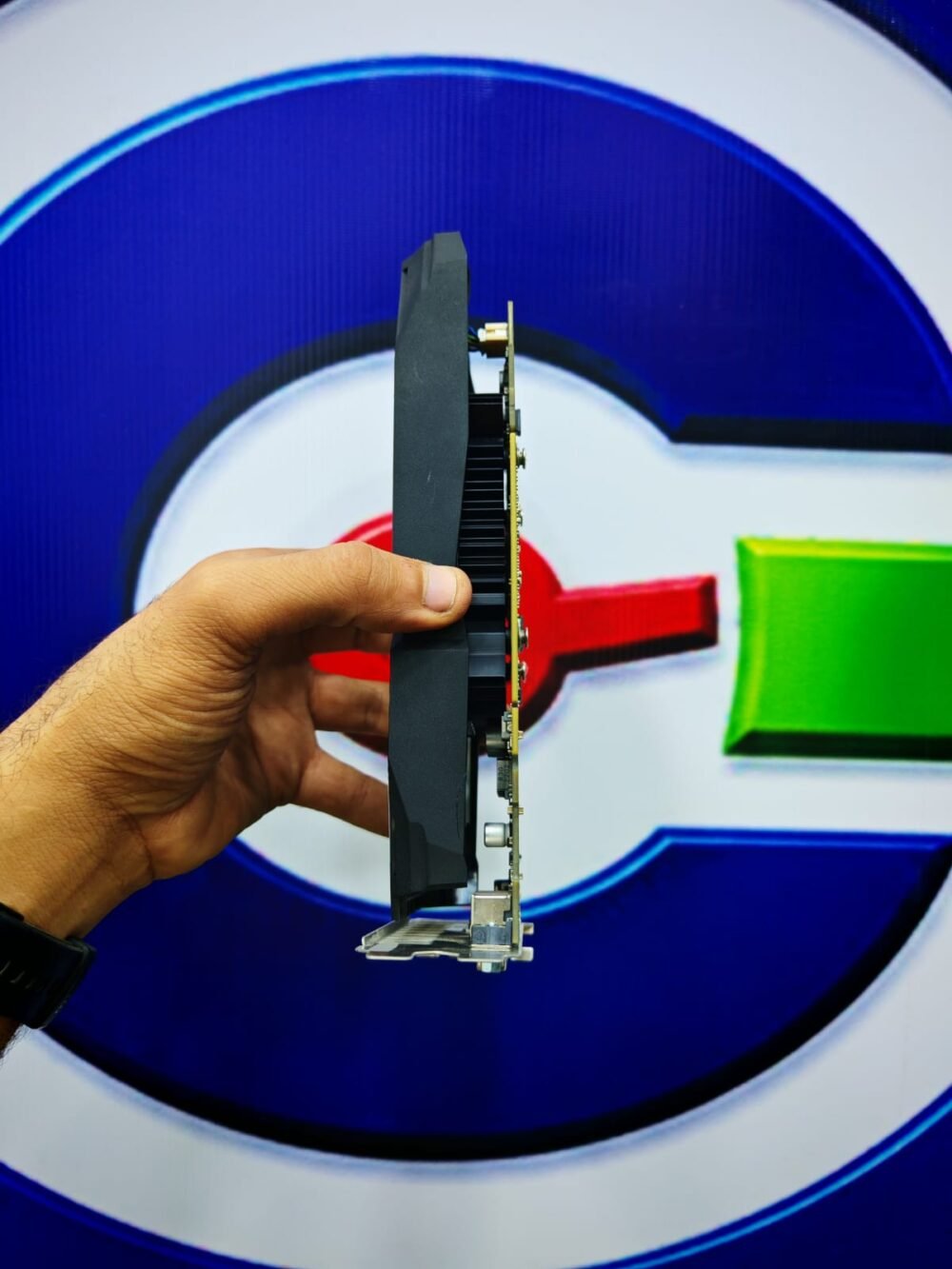




Asus Nvidia GeForce Gtx 1650 4gb Gddr6 Dual OC Dual Fan Graphics Card
The ASUS GTX 1650 4GB GDDR6 Dual OC combines NVIDIA Turing Architecture, 896 CUDA Cores, and high-speed GDDR6 memory to deliver dependable 1080p graphics performance for everyday gaming and creative workloads. With a factory Boost Clock of up to 1620 MHz in OC mode and 4GB of dedicated GDDR6 memory, it provides a responsive graphics experience for Gamers, students, graphic designers, and professionals working with everyday visual applications.
Its dual-fan cooling system, 128-bit memory interface, and support for three displays make it a practical choice for desktop PC upgrades. Whether you are playing competitive games, editing photographs, creating vector designs, or working on 2D technical drawings, this ASUS graphics card provides dedicated GPU processing for a variety of everyday tasks.
Technical Specifications Table
The ASUS Dual OC model is built around the NVIDIA GeForce GTX 1650 GPU, featuring 4GB of GDDR6 memory with an effective memory speed of 12 Gbps. Its 128-bit memory interface delivers up to 192 GB/s of theoretical memory bandwidth, supporting responsive graphics processing in compatible games and applications.
| Specification | Details |
|---|---|
| Graphics Card Model | ASUS Dual GeForce GTX 1650 OC |
| GPU Architecture | NVIDIA Turing |
| GPU Chip | TU117 |
| Original GPU Release Date | April 23, 2019 |
| CUDA Cores | 896 |
| GPU Base Clock | Not specified on the ASUS product specification page |
| GPU Boost Clock – OC Mode | 1620 MHz |
| GPU Boost Clock – Gaming Mode | 1590 MHz |
| VRAM Capacity | 4GB |
| Memory Type | GDDR6 |
| Memory Interface | 128-bit |
| Effective Memory Speed | 12 Gbps |
| Memory Bandwidth | 192 GB/s |
| Bus Standard | PCI Express 3.0 |
| Reference GPU Power Rating | 75W |
| Recommended Power Supply | 300W |
| Power Connector | 1 × 6-pin PCIe |
| Cooling System | Dual Fan |
| Dimensions | 21.5 × 12.1 × 4.4 cm |
| Slot Occupancy | 2.3 Slots |
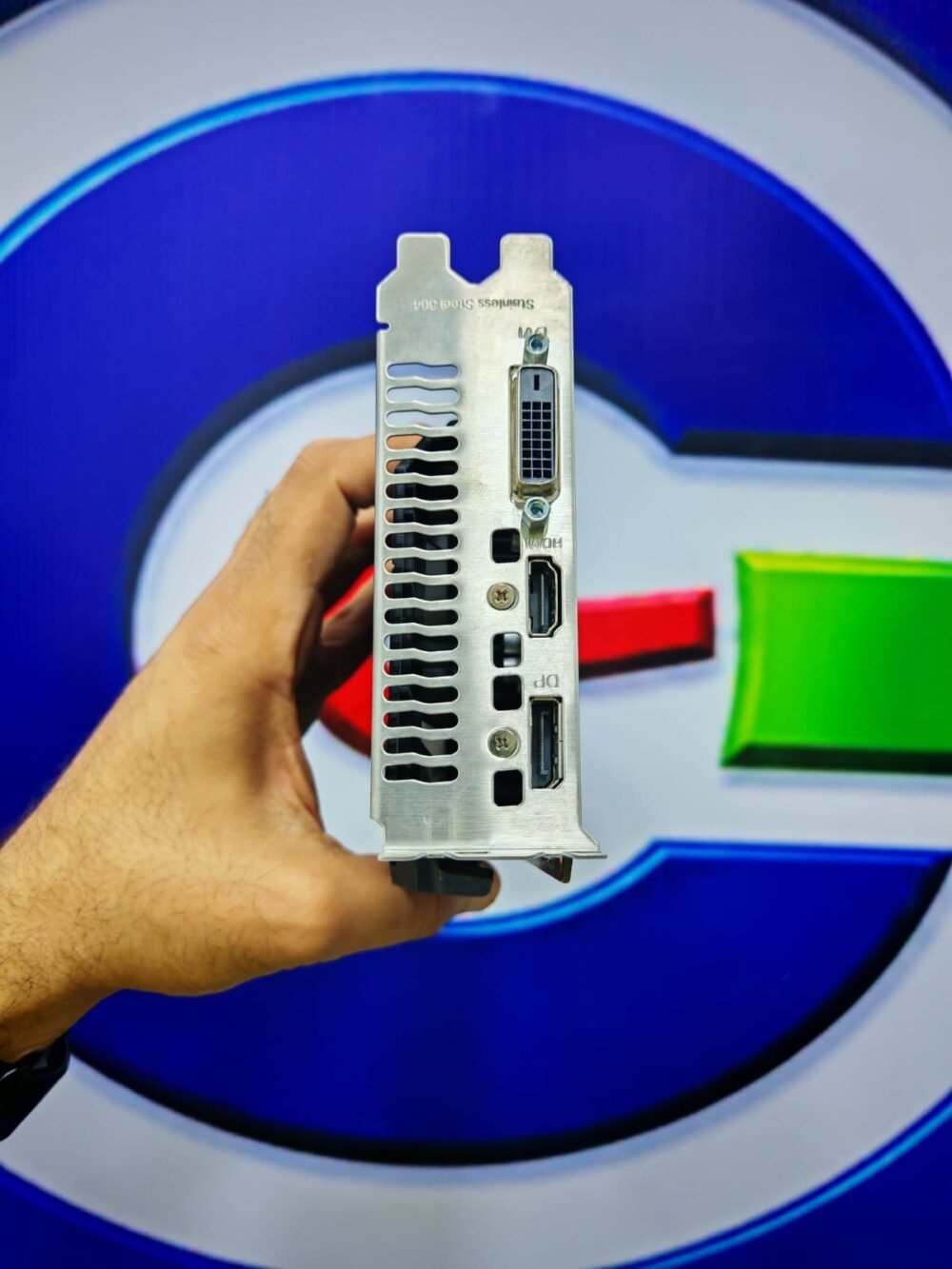
| DisplayPort | 1 × DisplayPort 1.4a |
| HDMI | 1 × HDMI 2.0b |
| DVI | 1 × Native DVI-D |
| Maximum Display Support | 3 Displays |
| Maximum Digital Resolution | 7680 × 4320 |
| OpenGL Support | OpenGL 4.6 |
| DirectX Support | DirectX 12 |
| HDCP Support | HDCP 2.2 |
Specification notes: April 23, 2019 is the original NVIDIA GeForce GTX 1650 GPU launch date, not the confirmed launch date of this ASUS board. ASUS lists the Boost Clocks and memory specifications but does not publish a Base Clock for this exact product page. The 75W figure is the reference GPU power rating; ASUS recommends a 300W PSU for the complete system. Confirm the physical model number with the supplier when matching a particular board revision.
Build Quality & Thermal Design
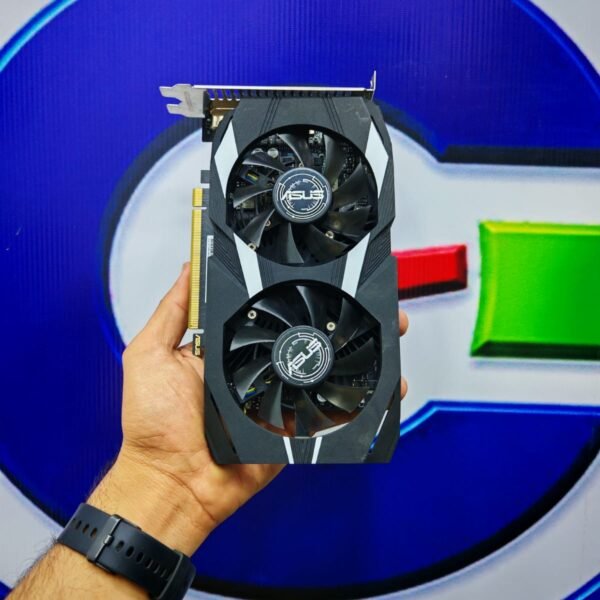
The ASUS Dual GTX 1650 OC features a distinctive dual-fan cooler designed to distribute airflow across the heatsink and maintain consistent GPU temperatures during gaming and everyday workloads. Its dual-fan configuration provides broad cooling coverage, while the carefully designed shroud gives the card a clean appearance that fits naturally into a variety of desktop PC builds.
ASUS applies its engineering approach to the card’s manufacturing and structural design, with a reinforced mounting bracket that helps support the graphics card once installed. The cooling assembly is designed to dissipate heat from the GPU during sustained operation, while the PCB and power-delivery components are configured around the card’s power requirements.
The 2.3-slot design provides space for the cooling assembly, making it important to check the available clearance inside the PC case before installation. Its 6-pin PCIe power connector supplies the additional power required by this particular model. Overall, the combination of ASUS construction, dual-fan cooling, and a reinforced mounting structure makes it a well-equipped option for a dependable desktop graphics upgrade.
Exclusive Features & Software Technologies
The ASUS GTX 1650 4GB GDDR6 Dual OC brings together NVIDIA graphics technologies and ASUS utilities that help users monitor and configure their graphics card.
NVIDIA Turing Architecture: The Turing GPU architecture introduces improvements to shader execution and graphics processing, supporting modern DirectX 12 workloads and a wide range of compatible games. Its 896 CUDA Cores provide parallel processing resources for graphics rendering and supported GPU-accelerated applications.
GDDR6 Memory Technology: The 4GB GDDR6 configuration operates at an effective speed of 12 Gbps through a 128-bit memory interface. With 192 GB/s of theoretical bandwidth, it provides efficient memory throughput for 1080p gaming, visual applications, and everyday graphics workloads.
Factory Overclocking: ASUS configures the card with a Boost Clock of 1620 MHz in OC mode and 1590 MHz in Gaming mode. This factory tuning provides a higher operating frequency in OC mode while allowing users to select their preferred performance profile.
ASUS GPU Tweak II: This utility provides access to GPU monitoring and tuning functions, including clock-frequency adjustments, temperature monitoring, and fan controls. Users can monitor operating conditions and configure supported performance settings through a dedicated interface.
NVIDIA G-SYNC: When paired with a compatible G-SYNC display, the card can synchronize GPU frame output with the monitor’s refresh rate, helping reduce screen tearing and improve visual smoothness.
NVIDIA GeForce Experience: Supported features include Game Ready Driver updates, gameplay recording, screenshots, and selected game optimization tools. Feature availability depends on the installed driver and software version.
Multiple Display Connectivity: The combination of DisplayPort 1.4a, HDMI 2.0b, and DVI-D allows connection to different monitor types. The card supports up to three displays, making it useful for multitasking and multi-monitor desktop setups.
Gaming Performance Benchmark Table
The ASUS GTX 1650 GDDR6 Dual OC is primarily designed for 1080p gaming. Its 4GB of VRAM and 896 CUDA Cores are well suited to competitive titles and many established games when graphics settings are selected according to each game’s requirements.
The following figures are estimated performance ranges, not laboratory measurements from this exact ASUS model. They assume a reasonably balanced desktop CPU, 16GB of system RAM, updated graphics drivers, and no major background workloads. Actual results vary with the processor, game updates, graphics settings, and individual system configuration.
| Game | Resolution | Recommended Settings | Estimated FPS |
|---|---|---|---|
| Valorant | 1080p | High | 120–180 FPS |
| Counter-Strike 2 | 1080p | Low | 55–85 FPS |
| Grand Theft Auto V – Legacy Edition | 1080p | Normal / High Mix | 60–85 FPS |
| PUBG: Battlegrounds | 1080p | Low | 40–60 FPS |
| Fortnite | 1080p | Performance Mode | 75–120 FPS |
| Apex Legends | 1080p | Low | 45–65 FPS |
| Tom Clancy’s Rainbow Six Siege | 1080p | Medium | 80–115 FPS |
| Overwatch 2 | 1080p | Low / Medium | 60–90 FPS |
| EA SPORTS FC 26 | 1080p | High | 85–130 FPS |
| eFootball | 1080p | High | Up to 60 FPS* |
| Forza Horizon 5 | 1080p | Low | 30–45 FPS |
| Red Dead Redemption 2 | 1080p | Low / Balanced | 28–38 FPS |
| Cyberpunk 2077 | 1080p | Low, FSR where available | 22–32 FPS |
| The Witcher 3 – Classic Version | 1080p | Medium | 40–55 FPS |
| Shadow of the Tomb Raider | 1080p | Low / Medium | 40–55 FPS |
eFootball’s actual frame rate depends on the game version and its frame-rate configuration. Future game releases may have different requirements and performance characteristics.
For competitive Gamers, titles such as Valorant, Fortnite Performance Mode, and Rainbow Six Siege offer the most suitable experience for this GPU. More demanding games benefit from Low or Medium settings, particularly when managing texture quality and VRAM consumption. For demanding AAA titles, users should prioritize stable frame rates over maximum visual settings.
Professional Applications & Workstation Efficiency
The ASUS Dual GTX 1650 OC is also suitable for a range of professional applications that support GPU acceleration. Its NVIDIA CUDA architecture can assist compatible creative software with image processing, viewport operations, and selected rendering tasks.
With 4GB of VRAM, the card is best suited to everyday graphic design, 2D engineering work, Full HD video editing, and smaller 3D projects. Performance depends on the software version, CPU, system RAM, project size, and the specific GPU acceleration features being used.
| Professional Application | Typical Workload | Expected Performance |
|---|---|---|
| Adobe Photoshop | Photo editing, layers, filters, and GPU-accelerated effects | Good for everyday image editing and medium-sized projects |
| Adobe Premiere Pro | Full HD video editing and GPU-accelerated effects | Suitable for basic Full HD timelines and moderate projects |
| Autodesk AutoCAD | 2D drafting, technical drawings, and basic 3D viewports | Good for general 2D drafting and light 3D work |
| Blender | 3D modeling, viewport navigation, and basic rendering | Suitable for learning, modeling, and smaller scenes |
| Adobe Illustrator | Vector graphics, illustrations, and design layouts | Very good for everyday 2D design |
| Adobe Lightroom Classic | Photo organization, color correction, and image processing | Good for standard photography workflows |
| SketchUp | Architectural modeling and viewport navigation | Suitable for small and medium-sized models |
| CapCut Desktop | Full HD editing, transitions, and visual effects | Suitable for basic and moderate video projects |
| DaVinci Resolve | Full HD editing, color correction, and basic effects | Suitable for simple timelines and selected GPU-accelerated tasks |
| Autodesk Revit | Architectural modeling, drawing views, and project visualization | Suitable for smaller projects and standard viewport operations |
For engineering students, designers, and content creators, this card offers useful GPU acceleration across supported applications. Larger architectural models, complex Blender scenes, high-resolution video timelines, and advanced visual effects can require substantially more VRAM, so project complexity should be considered when selecting a graphics card for professional use.
A Dependable Choice for Everyday Gaming and Creative Work
A capable desktop graphics solution should deliver the right balance of gaming performance, cooling, connectivity, and application support. This ASUS Dual model combines GDDR6 memory, factory-overclocked GPU frequencies, and a dual-fan cooling system in a design intended for practical everyday use.
For Gamers focused on competitive 1080p titles, students learning creative software, and professionals working with 2D design, photo editing, and standard desktop applications, it offers a useful combination of NVIDIA graphics processing and ASUS engineering.
Discover graphics solutions for gaming, creativity, and everyday productivity at GC Hardware.



Reviews
There are no reviews yet.